A Creator's Guide to White Background for Video
Learn how to get a perfect white background for video. This guide covers physical setups, lighting tips, and AI tools for a clean, professional look.
A white background video isn't just a style choice; it's a strategic move that instantly makes your content look more professional and keeps your audience hooked. It's the go-to technique for countless product demos, tutorials, and social media ads for one simple reason: it makes your subject the undeniable star.
Your Secret Weapon for Better-Performing Content
In a world overflowing with visual noise, a little simplicity goes a long way. A clean, white background isn't just about looking good—it’s a powerful tool that signals clarity, professionalism, and authority. Just think about the biggest e-commerce giants or the ads that stop your scroll; they often strip away all distractions to put the product or message front and center.
This minimalist approach works wonders for your videos:
- Sharpens Viewer Focus: With no visual clutter, your audience has no choice but to concentrate on your subject.
- Builds Instant Trust: A clean, polished look gives off a vibe of quality and credibility without you having to say a word.
- Makes Your Content More Versatile: A subject on a white background is a creative asset you can easily drop into different designs, ads, and marketing materials.
The explosion of short-form video on platforms like TikTok and Instagram Reels has only made this technique more popular. Brands and creators quickly realized that a distraction-free backdrop helps their content pop in a fast-moving feed, which often translates to more views and better results.
This isn't just a fleeting trend. The technology behind it is a massive, fast-growing industry. The market for background removal tools is expected to balloon from US$1.98 billion in 2026 to an incredible US$5.65 billion by 2033. You can read more about the growth of the background editing software market.
Ultimately, learning how to create a great white background video is more than just hopping on a trend. It's about adopting a proven strategy to make sure your message lands, your product gets seen, and your brand looks sharp. Before we get into the "how-to," it’s crucial to understand why this simple backdrop is one of the most effective tools in your video toolkit.
Nailing the Look In-Camera: The Physical Setup
Getting that perfect white background for video straight out of the camera is all about mastering your environment. This is the classic studio technique, often done on what's called a "cyclorama" or "cyc." It definitely takes more work upfront, but it can save you a mountain of time in editing later. When you see this in high-end commercials, this is usually how they do it.
The whole process starts with the backdrop. While a pro-grade cyclorama wall—that seamless curve where the wall meets the floor—is the dream setup, you absolutely don't need a dedicated studio to pull this off. I've seen fantastic results from much simpler options.
- Seamless Paper Rolls: These are the workhorse for many creators. They're affordable, easy to find, and a roll of "super white" or "arctic white" paper on a stand is a great place to start.
- Fabric Backdrops: You can also use a big, wrinkle-free white muslin or vinyl backdrop. The trick here is to pull it completely taut. Any creases will catch light and create shadows, which is exactly what we're trying to avoid.
- A Freshly Painted Wall: If you're really in a pinch, a smooth, evenly painted white wall can work. The challenge is that you have to be incredibly precise with your lighting to hide any wall imperfections or the hard shadow line where the floor meets the wall.
How to Light for a Pure White Background
Here's the real secret, and it's where most people go wrong: the magic isn't in the backdrop itself, it's in the lighting. The most common mistake is trying to light your subject and the background with the same lights. This almost always leaves you with a background that looks muddy and grey, or a subject that's completely blown out.
The key is to light the background and the subject independently. Your goal is to make the white backdrop significantly brighter than your subject, effectively "blowing it out" to pure white without overexposing the person or product in the foreground.
To do this right, you’ll need a bare minimum of three lights. Two of them are just for the background, and at least one is for your subject.
Place one light on each side of your backdrop, aimed directly at it. This creates a nice, even wash of light and kills any grey spots or "hot spots." Your third light, the key light, is then positioned to light your subject from the front.
This setup does more than just look clean; it guides the viewer's focus. By eliminating distractions, you create a direct path for your message to build trust and authority.
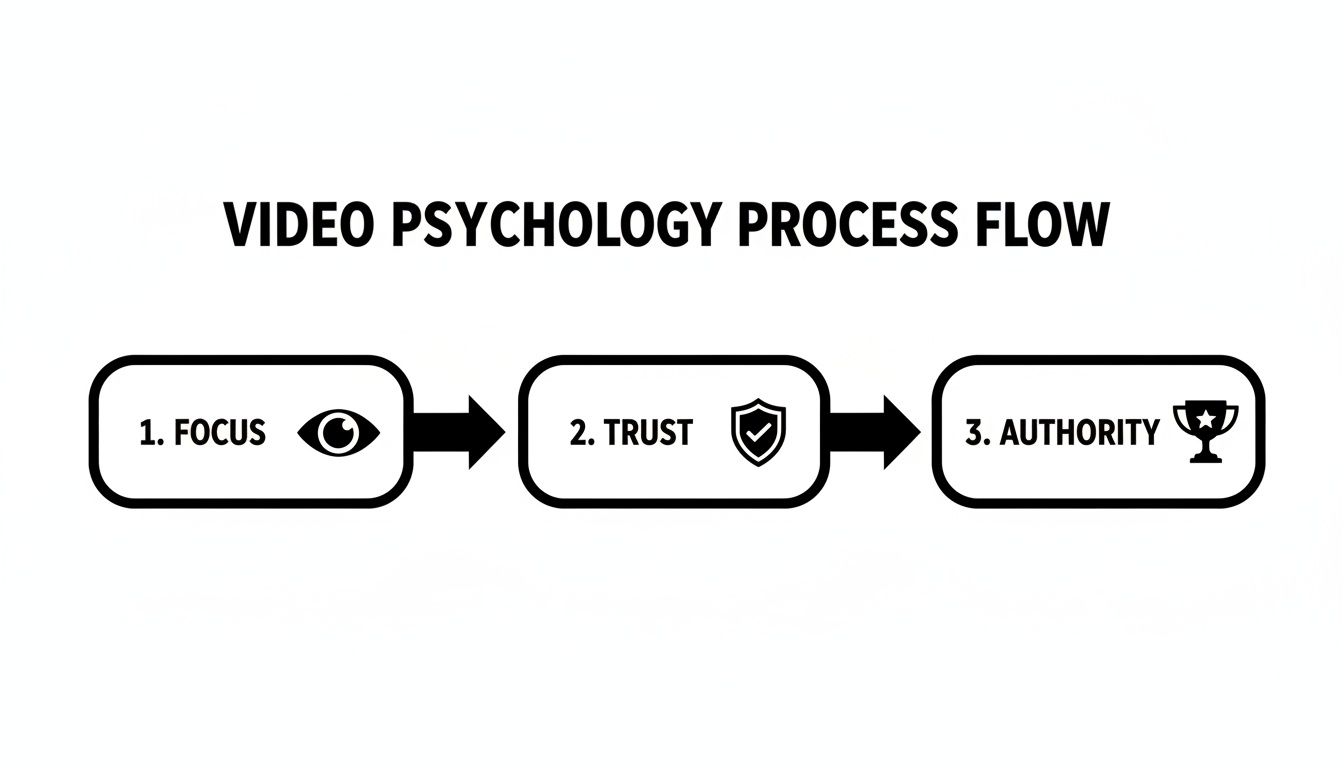
A clean visual environment allows your content to do the heavy lifting, establishing credibility without anything getting in the way.
Dialing in Your Camera Settings
With your lights in place, the final piece of the puzzle is your camera. You can't just eyeball this on the small LCD screen. You need to use your camera's built-in tools to be sure you're getting a true, pure white.
First thing's first: switch your camera to manual mode for total control. Now, set your white balance. This is critical. Use a grey card or your camera's "custom white balance" function by pointing it at your illuminated backdrop. This step ensures your whites are actually white, not tinged with ugly blue or yellow casts.
Next, bring up your camera’s histogram. This little graph is your best friend here, showing you the tonal range of your shot. For a perfect white background, you want to see a big spike pushed all the way to the far right side of that graph. This tells you that a huge chunk of your image is pure white.
Just be careful it isn't "clipped"—meaning the spike is smashed flat against the right edge. That means you're losing information. The sweet spot for a great white background is living right on the edge of pure white.
While this method takes some practice, mastering it produces incredible results that barely need any post-production. Of course, this isn't the only way to isolate a subject. If you're curious about other techniques, check out our guide on how to use a green screen for video.
The Digital Method: Getting Instant Results with AI
Let's be real: most of us don't have a dedicated studio or a Hollywood-grade lighting rig sitting around. The good news? You absolutely don't need one to get that crisp, professional white background for video. Today, the digital approach, powered by some seriously smart AI, is a fantastic alternative that can give you flawless results—even if you shot the original clip in a cluttered bedroom.
This technique essentially flips the script. Instead of fussing over the physical setup, you focus all your energy on post-production, letting intelligent software handle the heavy lifting. Forget meticulously lighting a paper backdrop. You can just concentrate on your performance, knowing you can swap out the background for a perfect white slate with a few clicks later. It’s a huge relief for creators who need to work fast and want a clean, consistent look without the traditional production headaches.
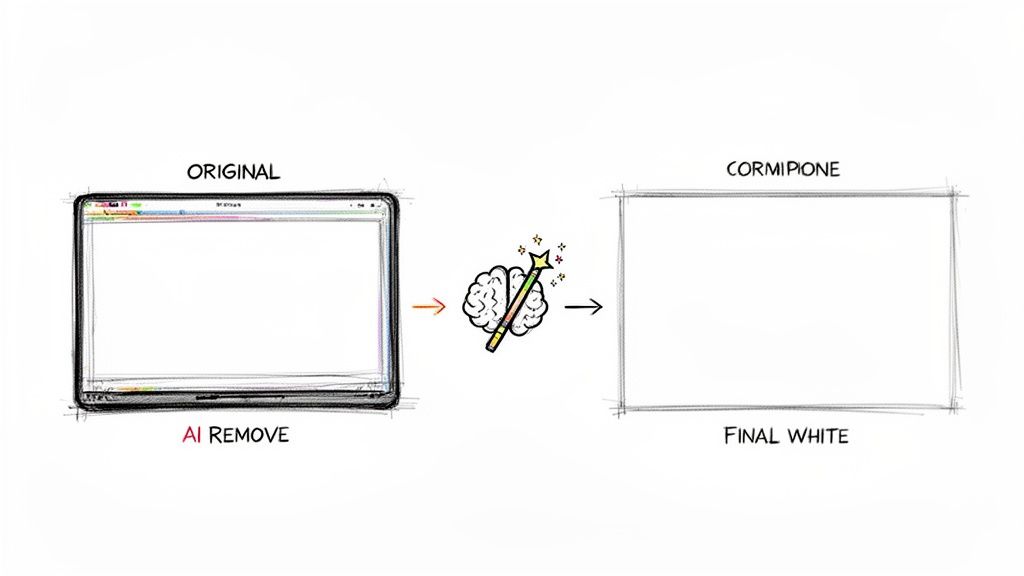
So, How Does AI Background Removal Actually Work?
The whole process is surprisingly simple. You just upload your video file (usually an MP4 or MOV) to an AI tool. From there, the software scans every single frame, figuring out what's you (the subject) and what's everything else behind you. This is lightyears ahead of old-school chroma keying that depended on a solid green or blue color.
Modern AI models have been trained on vast libraries of images and videos, so they actually understand context. They can intelligently trace around tricky edges, individual wisps of hair, and even handle motion blur to create a precise cutout, often called a matte.
Once that matte is ready, the original background vanishes, leaving your subject on a transparent layer. Then, you simply drop in a solid white background, and voilà—that clean, studio look is yours in an instant.
The popularity of this tech has skyrocketed, and it's easy to see why. The Background Removal Software Market is on track to hit $500 million by 2025, largely because AI can deliver incredibly accurate results in seconds. This is a massive deal for the 2.8 billion social media users globally, where an estimated 65% of viral short-form videos lean on uniform backgrounds to maintain a consistent aesthetic.
Key Advantages of Going Digital
Opting to handle your background in post-production comes with some pretty significant perks, especially if you're a content creator working on your own.
- Total Flexibility: You can film wherever and whenever you want. That messy home office or living room is no longer an obstacle to creating professional-grade content.
- Perfect Consistency: Every single video will have the exact same shade of white. This is crucial for building a cohesive brand across a tutorial series, a set of ads, or your social media feed.
- Saves Time and Space: Say goodbye to setting up, tearing down, and storing backdrops and lights. The digital workflow takes up zero physical space and makes your production process much more efficient.
The real power of AI background removal is how it makes professional video accessible to everyone. It completely levels the playing field, giving solo creators the ability to produce a polished look that used to be possible only for studios with big budgets.
While today's tools are incredibly user-friendly, it’s interesting to see how the technology has evolved. Many of the core principles of isolating a subject digitally have their roots in things like photo booth green screen software.
Ultimately, using a modern AI video background remover like https://videobgremover.com/ai-video-background-remover is the most direct route from raw footage to a finished, polished video. It eliminates common production frustrations and opens up a ton of creative doors, making it an indispensable tool for anyone creating video today.
Exporting Your Video for Maximum Versatility
Getting that clean white background is a huge win, but how you export your final video is just as important. This last step determines whether your video is a finished, standalone piece or a flexible asset you can use in countless ways. It's the difference between having a single key for a single door and having a master key that opens up a world of creative possibilities.
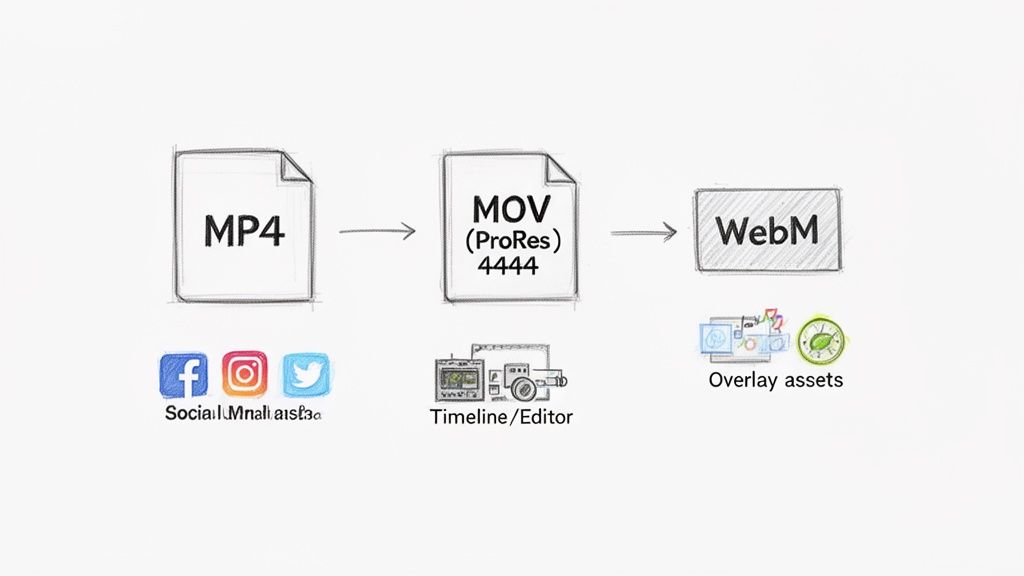
Let's walk through the two main export paths you can take. Your choice here really dictates what you can do with your footage later on.
The Standard MP4 for Immediate Use
Most of the time, you just want to get your video out into the world. You need it ready for Instagram, TikTok, or your website now. For this, the trusty MP4 format (using the H.264 codec) is your best friend.
Think of it as the universal language of online video. It hits that sweet spot of great quality and small file size, which means quick uploads and smooth streaming for your audience.
When you export as an MP4, that clean white background gets "baked" right into the video file. It's a permanent part of the image. This is the perfect, no-fuss solution for:
- Social Media: Posting directly to your feed, Reels, or Shorts.
- Website Videos: Embedding a product showcase on your homepage.
- Simple Ads: Running straightforward ad campaigns without needing fancy layering.
This is your most direct route. But if you’re thinking bigger and want an asset with a longer, more versatile life, you need to think transparent. For more on getting this format just right, see our guide on using an MP4 file compressor.
Unlocking Creativity with Transparent Exports
Okay, this is where things get really interesting. Instead of locking your subject onto a white background, you can export just the subject with nothing behind them. This gives you a powerful video asset that a designer (or you!) can place on top of literally anything.
Exporting with transparency transforms your video from a finished product into a flexible creative building block. It allows you to place your subject in any scene, design, or layout without being stuck with a white background.
To pull this off, you need a video format that supports an alpha channel—that’s the bit of data that tells the computer which parts of the video are transparent. Your standard MP4 can't do this.
You’ll want to use one of these two formats instead:
- MOV (ProRes 4444): This is the gold standard for professional video work. It keeps your quality pristine and fully supports transparency, making it the top choice for editing in software like Adobe Premiere Pro or After Effects.
- WebM (VP9): This is a fantastic, modern format for web use. It gives you transparency but in a much smaller file size than a MOV, which is ideal for website animations, interactive ads, or overlays for a livestream.
Think about it: you shoot a product demo one time. With a transparent export, you can drop that same video onto a festive background for a holiday sale, a dynamic graphic for a social media ad, and a simple colored backdrop on your website. You never have to film it again. This approach is a massive time-saver and opens up unlimited creative doors for your white background for video projects.
Where Will Your Video Live? Optimizing for Different Platforms
Getting that perfect white background for video is a huge win, but the real magic happens when you tailor that video for the specific platform it's destined for. A one-size-fits-all approach just doesn't cut it. Each social network, website, or ad platform has its own vibe, its own rules, and its own audience expectations.
Think about the fast-paced, vertical world of TikTok and Instagram Reels. Here, a clean white background is your secret weapon. It slices through the visual clutter, making your subject pop and instantly grabbing a viewer's attention. That minimalist, professional look can be the very thing that stops someone from scrolling past.
Beyond just the background, the entire visual package matters. A crisp, distraction-free setting is a massive advantage when you want to create Instagram Reels that actually get views, because it puts all the focus right where you want it: on your subject and your message.
Tailoring Your Video for the Platform
On YouTube, a consistent white background plays a longer game. If you're running a channel built on tutorials, product reviews, or any kind of educational content, it becomes a core part of your brand. Viewers start to recognize that clean, professional setup and associate it with your channel's quality and expertise. It's a simple way to build trust and keep them coming back.
E-commerce platforms like Amazon or Shopify are a different beast entirely. They often have strict guidelines, sometimes even mandating a pure white background for product videos. Why? It creates a uniform, high-end shopping experience. It strips away all distractions, letting the product be the star of the show so customers can focus on its features.
Here's something to think about: 85% of the best-performing YouTube Shorts and TikToks use solid white or transparent backgrounds. This clean look has been shown to boost viewer retention by a staggering 40%. In the North American market, video ads with a clean, replaced background actually convert 3x better.
Don't Forget Corporate and Educational Videos
This isn't just for social media gurus and online sellers. The power of a simple backdrop extends deep into the corporate and educational worlds. For company training videos, webinars, or important presentations, a white background signals professionalism and keeps the focus entirely on the speaker's message.
The same idea applies to online courses. When you're trying to teach complex information, the last thing you need is a busy, distracting background. A minimalist environment helps learners absorb the material without getting sidetracked, making your content far more effective.
To make this a bit easier to digest, here’s a quick-glance table summarizing how to approach the major platforms.
Platform-Specific Video Recommendations
This table breaks down the key technical and creative points to keep in mind when you're getting ready to post.
| Platform | Recommended Aspect Ratio | Key Creative Tip | Primary Goal |
|---|---|---|---|
| YouTube | 16:9 (standard), 9:16 (Shorts) | Maintain a consistent, branded look across videos to build channel identity. | Build authority and viewer loyalty. |
| Instagram/TikTok | 9:16 | Use the clean background to make text overlays and captions pop. | Stop the scroll and grab immediate attention. |
| E-Commerce | 1:1 or as specified | Keep the focus 100% on the product. No distracting elements. | Drive sales by showcasing product features clearly. |
| Corporate/Website | 16:9 | Ensure the speaker appears professional and authoritative. | Convey information clearly and professionally. |
Ultimately, choosing a white background isn't just about making things look nice. It’s a strategic decision to make sure your message lands with maximum impact, no matter who you're trying to reach or where you're posting.
Common Questions About White Background Videos
Even with the best planning, a few practical questions always pop up when you're wrestling with getting that perfect white background for video. Let's tackle some of the most common issues creators run into, with straightforward answers to get you the professional results you’re after.
How Do I Fix a White Background That Looks Grey?
This is easily the most frequent frustration I hear about, and it almost always comes down to one thing: lighting. If your white backdrop looks dull, muddy, or just plain grey on camera, it’s not getting enough light. Period.
The background needs to be so bright that your camera is forced to see it as pure white. The key is to light your background separately from your subject. A good rule of thumb is to make the backdrop about two stops brighter than the light hitting your subject. This technique "clips" the whites, blowing out the background to a clean, crisp white without overexposing the person or product you're actually filming.
Your camera's histogram is your best friend here. A properly lit white background will show a sharp spike pushed all the way to the far-right edge of the graph. That's your visual confirmation that you're hitting true white, not just a light grey.
Do I Need a Green Screen to Use an AI Background Remover?
Not anymore. It's a common misconception because for years, that was the only way. But modern AI-powered tools have completely changed the game.
Today's advanced algorithms are smart enough to work without a specific background color. They analyze your footage frame by frame, intelligently identifying the subject and separating it from whatever is behind it. This gives you incredible flexibility. You could be in a cluttered office or a busy park, and the AI can still carve out a clean cutout, ready for that perfect white background.
What Is the Best Video Format to Use?
The "best" format really depends on what you plan to do with the video next. There isn't a single right answer, but there are definitely right choices for different situations.
For Direct Uploads: If the video is completely done and ready for social media, YouTube, or your website, MP4 (with the H.264 codec) is your workhorse. It strikes the perfect balance between high quality and a small file size, which means faster uploads and smoother streaming for your viewers.
For Further Editing or Layering: Need to use your subject as a graphic element in another project? Then you need a format that supports transparency. Exporting with an alpha channel using MOV ProRes 4444 or WebM is the professional choice here. It preserves every bit of quality and gives you a flexible asset you can drop into ads, motion graphics, or other videos.
Ready to create flawless white background videos without the hassle of a physical setup? With VideoBGRemover, you can remove any background and replace it with a clean, professional white slate in just a few clicks. Our AI-powered tool does the hard work for you, no green screen required. Transform your footage today at https://videobgremover.com.
Tagged with
Ready to Remove Your Video Background?
See a free preview before you buy.
No credit card required • Free preview on every video