Chroma Key Online: Pro AI Background Removal for Videos - chroma key online
Learn chroma key online without a green screen. Discover AI-powered tools for instant background removal and pro-quality videos.
So, you want to perform a chroma key online? This simply means removing and swapping out a video's background right from your web browser, often without needing a physical green screen at all. It’s a modern spin on a classic effect, using AI to cleanly separate your subject from their surroundings. This makes professional-looking video effects available to pretty much anyone with an internet connection.
The New Reality of Chroma Key Online
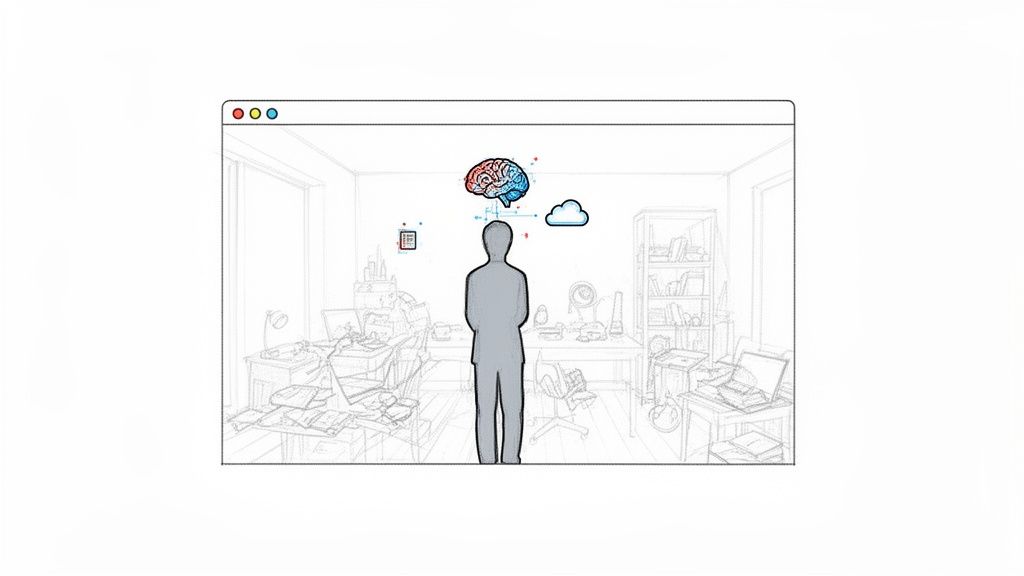
Forget everything you know about bulky lighting rigs, dedicated studio space, and fussing over a perfectly smooth green screen. The whole process of removing a video background has changed. It's moved from clunky, expensive desktop software to incredibly powerful tools that run straight from your browser. This isn't just about convenience—it's a total overhaul of the video production workflow.
Tools like VideoBGRemover now use sophisticated algorithms to analyze footage frame by frame, identifying and isolating the main subject. The AI is smart enough to distinguish a person from a busy, dynamic background—think a cluttered living room or a bustling office—with a level of precision that used to be impossible. This technology has truly leveled the playing field, taking what was once a high-cost special effect and putting it in everyone's hands.
From Expensive Rigs to AI Algorithms
It’s hard to overstate the leap from physical screens to digital processing. Not too long ago, a professional chroma key setup could easily cost over $50,000. Now, "chroma key online" tools collectively process billions of short-form videos for platforms like TikTok and Reels every single year.
AI is the engine driving this change, achieving up to 97% matting accuracy on clips with a lot of movement, all without a single green sheet in sight.
This brings some serious real-world benefits for creators and businesses:
- No More Gear Costs: You can forget about buying expensive screens, specialized lighting, or renting a studio.
- Insanely Fast Turnaround: A task that once took hours of meticulous manual work can now be done in minutes.
- Total Creative Freedom: Film your video literally anywhere. You can worry about the background later, which frees you up from location scouting and setup headaches.
The biggest win here is the removal of friction. Instead of spending 90% of your time on technical setup, you can pour that energy into the creative side of your video. That’s the real value these browser-based AI tools bring to the table.
To really understand the difference, let’s compare the old and new ways of doing things.
Traditional Green Screen vs Online AI Chroma Key
This table gives a quick rundown of how AI-powered tools stack up against the traditional, gear-heavy approach.
| Factor | Traditional Green Screen | AI-Powered Chroma Key Online |
|---|---|---|
| Setup Required | Physical screen, complex lighting, dedicated space. | Just a web browser and an internet connection. |
| Cost | High initial investment in equipment (lights, screen, stands). | Often subscription-based or free, with no hardware costs. |
| Location | Limited to a studio or a location where gear can be set up. | Shoot absolutely anywhere. |
| Efficiency | Time-consuming setup and post-production keying. | Near-instant results; upload and download in minutes. |
| Skill Level | Requires technical knowledge of lighting and keying software. | Extremely user-friendly; designed for beginners. |
As you can see, the online method strips away nearly all the barriers that once made background removal a specialist's job.
A Broader Shift in Creative Workflows
The rise of AI-driven chroma keying is part of a much bigger picture where Artificial Intelligence Business Solutions are fundamentally changing how work gets done across all kinds of industries. This is more than just a neat trick for visual effects; it’s about making professional-grade tools simple and accessible enough for everyday tasks.
For a content creator, this means you can produce a slick, studio-quality product demo, tutorial, or social media ad right from your home office. This isn’t just a workaround for not having a green screen—it's a genuinely smarter and more efficient way to create high-quality video.
How to Prep Your Footage for the Best AI Results
While AI does the heavy lifting when you chroma key online, the old saying "garbage in, garbage out" still holds true. The quality of your original video is the single biggest factor in getting a clean, professional-looking cutout.
Think of it this way: you're giving the algorithm a clear puzzle to solve. A few simple tweaks before you even hit record can make a world of difference, turning a decent result into a flawless one.
Light Yourself, Not the Room
Good lighting is everything. Your main goal is to make sure you are significantly brighter than whatever is behind you. This contrast is what allows the AI to immediately lock onto you as the subject.
You don’t need a fancy studio setup. A simple ring light or even a bright desk lamp pointed at your face will do the trick. If you’re relying on natural light from a window, make sure you’re facing it. If the window is behind you, you’ll become a silhouette, and the AI will have to guess where your edges are—which rarely ends well.
Lock Down That Camera
AI video tools analyze your footage frame by painful frame. A shaky camera creates motion blur and constantly shifts the pixels around your outline, which is a nightmare for the algorithm to track accurately.
The fix is simple:
- Use a Tripod: This is the easiest way to guarantee a stable shot. Even a cheap one works wonders.
- Get Creative: If you’re shooting with your phone, just prop it up against a stack of books or a coffee mug. Anything to keep it still.
A steady frame gives the AI a consistent reference, leading to a much cleaner and more stable matte around you.
The AI is incredibly powerful, but it can't read your mind. The clearer the visual information you feed it, the less it has to guess—and the better your final video will look.
What You Wear Matters
This might sound trivial, but your wardrobe can make or break the final effect. Try to avoid wearing clothes that are a similar color to your background. If you're sitting in front of a beige wall, that tan shirt is going to be a problem, and you might see parts of your torso glitching out.
Even though you aren't using a physical screen, the basic concepts of color separation from traditional green screen video backgrounds still apply.
Stick with solid colors that pop against your background. Busy patterns, fine stripes, or highly reflective materials can sometimes throw the AI for a loop, so simple is almost always better. Taking a moment to think about this gives the AI the clean data it needs to perform a perfect chroma key online. And if you want to see what else is possible, it's worth exploring some of the best AI video editing tools that are changing the game.
Putting It All Together: Your Online Background Removal Workflow
Alright, let's get down to business. This is where you take your footage and make the magic happen, right from your web browser. The best part? It's way easier than you might think.
The first step is always the most straightforward: uploading your video. Most modern tools are built to handle the common video formats you're already using, like MP4, MOV, and WebM. Just drag your file onto the page or browse your computer to select it. In seconds, the AI kicks in, scanning every frame to isolate your subject from the background.
This is where you'll see the real muscle of a good AI video background remover. Instead of waiting for a full, time-consuming render, you get a quick preview. This is a critical checkpoint. It lets you inspect the quality of the cutout—making sure the edges are sharp and fine details like hair look natural—before you commit to anything.
To get the absolute best results from the AI, a little prep work goes a long way.
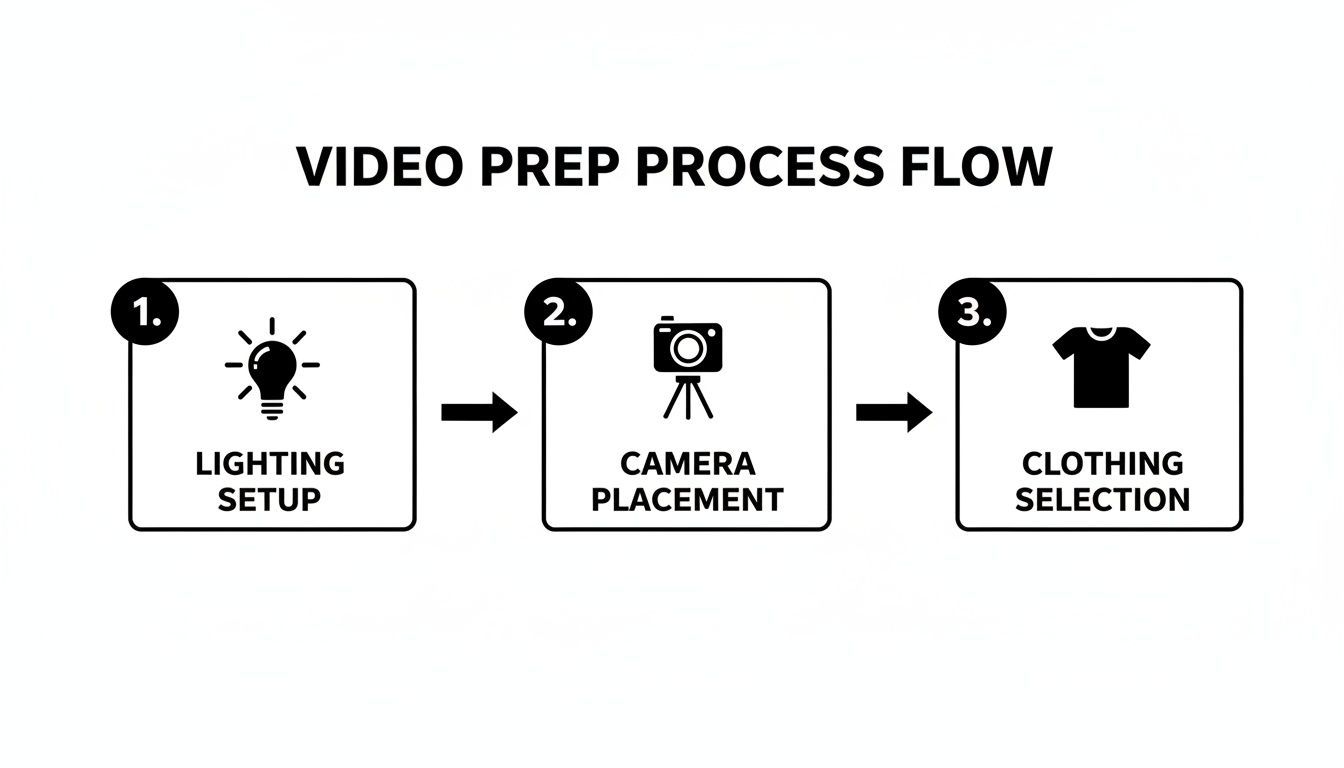
As you can see, getting your lighting, camera stability, and wardrobe right gives the AI clean, clear information to work with, which is the secret to a perfect key.
Dropping in Your New Background
Once the preview looks good, you can start playing around with new backgrounds instantly. All the creative work happens right there in the tool, so you don't need to fire up any other software just to do a simple swap.
You've got a few options at your fingertips:
- Solid Colors: Perfect for that clean, branded look you see in social media ads or company videos.
- Custom Images: This is how you put yourself in a virtual office, on a stage, or in front of a presentation slide. If you can imagine it, you can probably do it.
- Another Video: Want to create a more dynamic scene? Drop in another video clip. This is fantastic for news-style segments, reaction videos, or just adding some cool cinematic flair.
Because this is all happening in the cloud, your computer won't grind to a halt. You can experiment with different looks and find the perfect background for your project without any commitment.
Exporting Your Final Video
With your new background in place, the final step is getting the video out. The format you choose really depends on what you plan to do with the clip next. This isn't just a technical detail; it's a crucial decision for maintaining quality and making sure your video plays nicely with other software.
The real game-changer here isn't just removing the background—it's the ability to export a video with a transparent alpha channel. This one feature opens up a whole new world for editors and motion graphics artists.
Think about your final destination. If you're just uploading directly to social media, a standard MP4 is your best bet. It’s the universal standard for a reason, offering a great mix of quality and manageable file size. But if you're doing more advanced editing, you'll need a format that keeps that background transparent.
Here’s a quick rundown of the pro-level export options:
- MOV ProRes 4444: This is the gold standard for high-quality video with transparency. It's what you'll want for projects heading into Adobe Premiere Pro or Final Cut Pro.
- WebM (VP9): A fantastic, modern format that also supports an alpha channel and is highly optimized for web use.
- PNG Sequence: This option exports every single frame as a separate transparent image. It gives you maximum control for really complex compositing work in tools like DaVinci Resolve.
It's amazing to think how far this tech has come. The move from blue to green screens was originally because digital camera sensors, with their Bayer filter, have 50% green pixels, meaning green needed less light for a clean key. Now, modern AI tools can deliver 98% accurate cutouts without any special screen, cutting post-production time by an estimated 80%.
Mastering Fine Details Like Hair and Motion
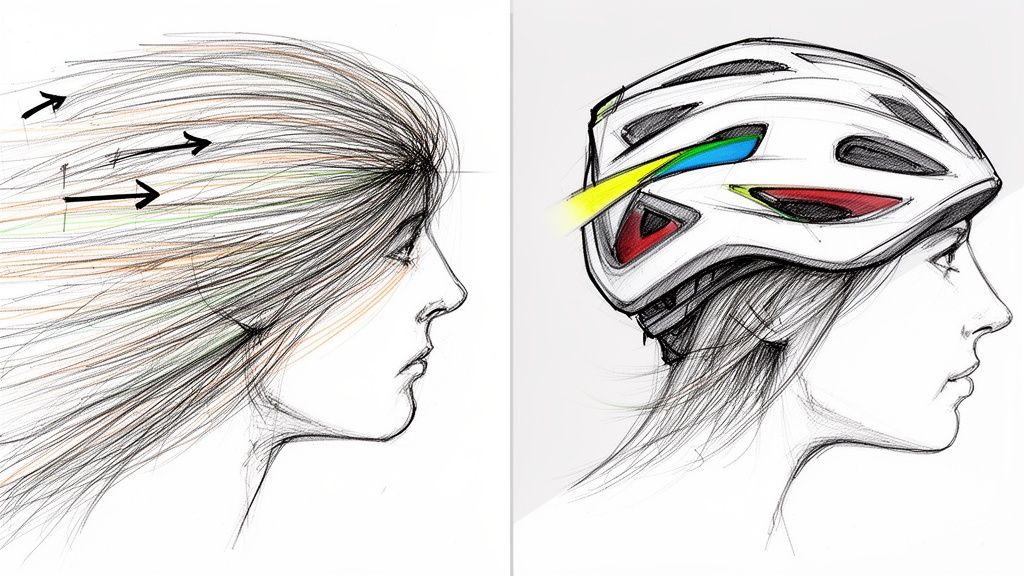
Here’s where the rubber really meets the road for any chroma key online tool. It’s not about the easy, static shots—it's about handling the messy, real-world details. We're talking about wispy hair, fast movements, and subtle shadows. These are the things that have historically been a nightmare for traditional keying.
You've probably seen what I call "helmet head," where older software just gives up on individual hair strands, leaving a blocky, artificial outline. The AI in modern tools, however, has been trained on mountains of data, so it knows how to recognize and keep those delicate details. The result is a cutout that actually looks like it belongs in the scene.
Preserving Nuances During Motion
Motion blur is another classic headache. When someone moves quickly, their edges naturally soften and blur, which completely confuses basic keying software. Instead of just making a clumsy guess, a good AI will actually analyze the motion between frames to intelligently interpret what’s happening.
This means you get clean, sharp edges even when your subject is talking animatedly with their hands or an athlete is mid-action. The final composite is smooth and professional, without that tell-tale flicker you get when the cutout struggles to keep up. Anyone who’s spent hours fighting with tools like the After Effects Roto Brush knows what a massive leap forward this is.
Inspecting Your Preview for Perfection
When you upload your video and that first preview pops up, you need to know what to look for. Don't just give it a quick once-over. Zoom in and really scrutinize the most complicated parts of the shot.
Here’s a quick mental checklist I run through:
- Hairline Integrity: Are you seeing individual strands, or does it look like a solid cutout?
- Edge Consistency: Play the video back. Do the edges stay stable during movement, or do they "chatter" and flicker?
- Semi-Transparent Objects: If your subject is wearing glasses or holding a sheer piece of fabric, did the AI correctly handle the transparency?
- Shadow Retention: A really smart AI can even keep natural contact shadows, which makes a huge difference in grounding your subject in their new environment.
Your goal is a cutout that feels organic, not like a sticker slapped onto a new background. Spending an extra 30 seconds inspecting these details in the preview can save you a world of pain down the road.
Honestly, this level of precision is incredible. Chroma keying has been around since the 1930s, starting with blue screens that popped against black-and-white film. Back then, creators often battled with 40% spill-over errors. Today, these AI models can hit over 95% accuracy on even the most complex hair and motion. It's why we can now process long-form 4K videos and get professional results without ever touching a physical green screen.
Making Online Chroma Key a Part of Your Everyday Workflow
Using an online chroma key tool isn't just a one-off party trick. The real magic happens when you figure out how to weave it into your regular content creation process. It’s all about seeing where this tech can fit in to save you a ton of time and unlock creative ideas you might have otherwise skipped, regardless of what you’re filming.
A Game-Changer for Social Media Creators
If you’re making content for TikTok, Instagram Reels, or YouTube Shorts, you know that speed is the name of the game. You have to churn out great-looking videos consistently, and an online background remover is your new best friend. Suddenly, you can film yourself anywhere—your messy office, your living room, a bland hotel room—and instantly pop in a background that fits your brand or the vibe of that specific video.
Think about it. Say you're a UGC creator who just got a new product to review. You can film a quick take, upload it, and swap your cluttered background for a clean, solid color or a slick lifestyle shot. The whole thing takes a few minutes, not hours. This lets you batch-create a dozen high-quality clips for different campaigns without ever touching a physical green screen.
Perfect for Educators and Professionals
The benefits go way beyond just social media. For educators or trainers creating online courses, keeping your audience engaged is everything. And what’s more engaging than seeing you right there, interacting with your presentation materials?
Here’s a simple but incredibly effective workflow I've seen work wonders:
- Record Two Streams: First, film yourself presenting to the camera. At the same time, capture a screen recording of your slides or software demo.
- Isolate Yourself: Take the video of you and run it through an online chroma key tool to strip out the background.
- Get the Transparent File: Export that clip as a transparent file. A MOV ProRes 4444 is a fantastic choice for this.
- Layer it Up: In your favorite video editor, just drop the transparent video of you on a track above your screen recording.
Just like that, you’ve turned a standard, boring presentation into a dynamic lesson. It feels more personal and direct, and it keeps your viewers from zoning out.
A Massive Timesaver for Pro Editors
Even seasoned video editors working in Adobe Premiere Pro or DaVinci Resolve can get a huge efficiency boost here. Let’s be honest, rotoscoping—the old-school way of manually tracing a subject frame-by-frame—is a soul-crushing task. It can take hours of painstaking work to isolate someone cleanly, even for a short clip.
Why spend half a day on tedious manual rotoscoping when an AI tool can give you a near-perfect alpha matte in minutes? This frees you up to focus on what actually matters: color grading, sound design, and telling a great story.
A modern professional workflow often looks like this: use the online AI tool for the heavy lifting. Upload the footage, let the AI generate a clean matte, and then export it in a high-quality transparent format like a PNG sequence or ProRes 4444.
You then bring that clean plate back into your main project for any final, minor tweaks. This hybrid approach gives you the raw speed of AI combined with the precision of professional software, slashing your production time without compromising on the final result.
Got Questions About Online Chroma Keying?
Stepping into the world of AI-powered video editing for the first time usually brings up a few questions. If you're used to the old-school way of doing things, the idea of a chroma key online tool can feel like a big leap. Let's clear up some of the most common questions creators have.
This isn't just a technical spec sheet; it's a practical guide to help you understand how this technology actually works and how you can fit it into your creative process.
So, Is a Green Screen Really Unnecessary Now?
For most people, most of the time? Absolutely. Modern AI is built to analyze a scene, identify the person in it, and separate them from just about any background you can throw at it. It completely sidesteps the need for a physical green screen, which means no more worrying about setup, lighting, or finding the space for one.
This is a game-changer. It means you can get that professional, clean cutout whether you're filming in your office, your living room, or even on the move. The studio is now wherever you are.
What Kind of Video Files Can I Work With?
Flexibility is key here. These online tools are designed to work with the files you already use every day. You can typically upload standard formats like:
- MP4
- MOV
- WebM
Most platforms handle resolutions all the way up to 4K, so you don't have to sacrifice quality. When you're ready to export, you have even more options. You can download a finished MP4 with your new background baked in, or you can get a transparent file for more advanced editing. That means formats like MOV ProRes 4444, WebM with an alpha channel, or even an image sequence for total control in programs like After Effects.
How Does the Pay-As-You-Go Thing Work?
It's actually a pretty creator-friendly model designed to eliminate the waste of a subscription you don't fully use. You can upload your clip and see a preview of the result completely free. This is your chance to make sure the AI nailed it before you ever open your wallet.
The whole idea is that you only pay for a result you're happy with. The preview is always free, so you can test it out as much as you need.
Once you like what you see in the preview, you just use credits to download the final, full-resolution video. The best part is that credits usually don't expire, so you're only paying for exactly what you need, right when you need it.
Can AI Really Handle Tricky Stuff Like Hair?
Yes, and honestly, this is where a good AI really shines. These algorithms have been trained on massive datasets, learning from millions of videos how to handle incredibly fine details—like individual strands of hair blowing in the wind.
The AI is also smart enough to track clean edges even during fast motion, which helps you avoid those weird, blocky artifacts you'd see with older keying software. The result is a cutout that often looks cleaner and more natural than what many people could pull off manually without spending hours on it. This level of precision is what makes AI-driven chroma key online a go-to for professional work.
Ready to see it for yourself? Try VideoBGRemover and get a perfect cutout in minutes—no green screen needed. Get your free preview now at videobgremover.com.
Tagged with
Ready to Remove Your Video Background?
See a free preview before you buy.
No credit card required • Free preview on every video